
How-to
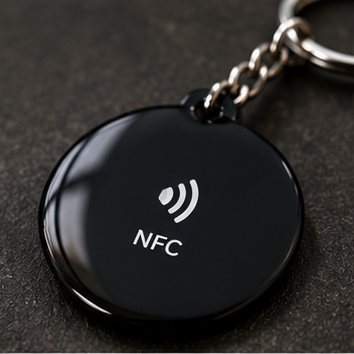
How to Put Your Instagram on an NFC Tag (Step by Step)
Programming an NFC tag sounds technical, but it is nothing more than putting a link on a chip. You need two minutes, your phone and the free NFC Tools app.
Before you start
- An NFC tag or NFC keychain with a rewritable chip.
- A phone with NFC. On Android, NFC must be switched on in settings.
- Your Instagram link, for example https://www.instagram.com/yourname.
The steps
- Install the free NFC Tools app from the App Store or Google Play.
- Open the app and choose Write.
- Choose Add a record, then URL.
- Enter your Instagram link and confirm with OK.
- Tap Write and hold your phone against the keychain until the app says it worked.
- Test it: hold a phone near it and check that your profile opens.
If it doesn't work
- Try holding the phone at a different spot on the keychain. The NFC antenna is not in the same place on every phone.
- Remove a thick case or a metal plate behind the keychain. Metal interferes with NFC.
- Check that the link starts with https:// and contains no spaces.
Careful with locking: NFC Tools can lock a tag. After that you can never write to it again. Only do it if you are sure the link will never change.
Want to know what the technology runs on? Read what an NFC Instagram keychain is.
One tap. New follower.
The TapToFollow NFC Instagram keychain is a one-time €9.98. No subscription, works on iPhone and Android, ships worldwide.
See the keychain